
Have you ever watched a lightsaber duel on screen and wished you could be the one swinging that glowing blade? I know I have. When I was a kid, I used a flashlight in my backyard, pretending to fight Darth Vader. The beam looked nothing like a lightsaber, but in my imagination? It was real.
Fast forward to today. That childhood dream is no longer just an imagination. Thanks to the Star Wars Movie FX Maker app, anyone can turn ordinary videos into cinematic Star Wars scenes. And the secret to unlocking its full power? Star Wars Movie FX Maker codes.
In this complete guide, I’ll walk you through everything you need to know. What these codes are, how to find them safely, and most importantly, how to use them like a pro. By the time you finish reading, you’ll be ready to create videos that would make even Yoda proud.
Let’s get started.
What Is the Star Wars Movie FX Maker App?
Before we talk about codes, let me explain the app itself. The Star Wars Movie FX Maker (sometimes called Star Wars Studio FX) is a mobile application created by Disney and Lucasfilm. It’s designed for everyday fans—not professional editors. You don’t need expensive software or years of experience. All you need is your smartphone and a little creativity. For a hands-on look at how this app brings action figures to life, check out this review of the Star Wars Studio FX app from Mashable.
Here’s what the app can do right out of the box:
- Add realistic lightsabers to your videos with automatic motion tracking
- Shoot blaster bolts from your hand or a toy gun
- Use Force powers like Push, Pull, and even Force Lightning
- Place starships like TIE fighters and X-Wings into your sky
- Bring droids like BB-8 and R2-D2 into your scenes
- Overlay characters such as Darth Vader, Yoda, or Kylo Ren
The free version gives you a decent set of effects. But honestly? The really cool stuff—the rare lightsaber colors, the premium sound packs, the exclusive character animations—is locked behind Star Wars Movie FX Maker codes or in-app purchases.
That’s where this guide comes in.
What Exactly Are Star Wars Movie FX Maker Codes?
Think of these codes as digital keys. Each code is a short sequence of letters and numbers. When you enter it into the app, it unlocks specific effects, characters, or sound packs that most users never see.
I remember the first time I found a working code. I was scrolling through a Star Wars fan forum late at night. Someone had posted a code they found on a LEGO set box. I copied it into the app, held my breath, and hit submit. A message popped up: “Unlocked: Darksaber Effect.” I literally jumped off my couch.
That’s the magic of these codes. You never know what you’re going to get.
What Can You Unlock?
Lightsaber Variations – Beyond the standard red, blue, and green. We’re talking purple lightsabers (Mace Windu style), white lightsabers (Ahsoka Tano), yellow Jedi Temple Guard blades, and the legendary black-bladed Darksaber. Each comes with unique sounds and activation animations.
Force Power Upgrades – More dramatic Force Push effects. Emperor-style Force lightning that crackles from your fingertips. These make your clips feel like deleted scenes from the movies.
Premium Blaster Effects – Different bolt colors, impact sparks, and ricochet sounds. Combine them with smoke and explosion overlays for a full battle sequence.
Character-Themed Packs – Effects inspired by Darth Vader, Kylo Ren, Rey, The Mandalorian, and Ahsoka. Each pack includes visual filters, sound effects, and sometimes even character voice lines.
Sound Effects Library – The iconic lightsaber hum, the blaster zap, droid beeps, TIE fighter screams, and ambient space background noise. Sound is half the experience.
Scene Backgrounds – Replace your boring living room wall with the interior of the Death Star, the deserts of Tatooine, or the forests of Endor.
Also Read: Unlock the Future of Digital Success: The Complete Vhsgjqm Guide for 2026
How to Redeem Star Wars Movie FX Maker Codes: A Simple Step-by-Step Guide
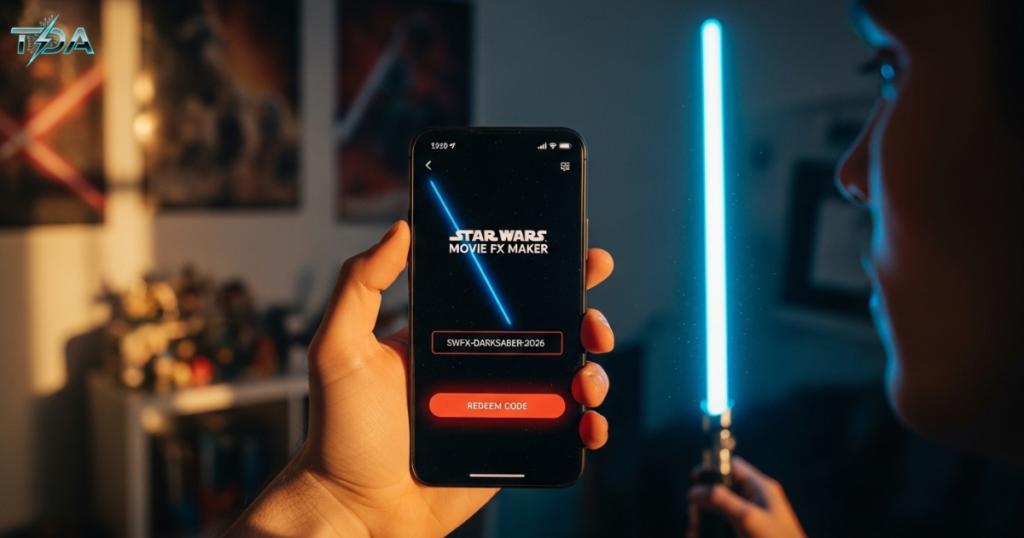
Using a code is super easy. Just follow these steps:
Step 1 – Update Your App
Make sure you have the latest version of Star Wars Movie FX Maker installed. Old versions sometimes can’t read newer codes.
Step 2 – Open the Code Entry Screen
Launch the app. Look for a section called “Redeem Code,” “Enter Code,” “Promo Code,” or “Bonus Unlock.” It’s usually found in the Settings menu or the Store section.
Step 3 – Type the Code Carefully
Enter the code exactly as you see it. Many codes are case-sensitive. Pay attention to zeros vs. the letter O, hyphens, and no extra spaces. One wrong character and the code will fail.
Step 4 – Submit and Confirm
Tap the submit or unlock button. If the code is valid, you’ll see a success message like “Unlocked!” or “New effect added to your library.”
Step 5 – Restart the App (If Needed)
Sometimes, the new effects won’t show up until you restart the app. Close it completely and reopen it.
Step 6 – Find Your New Effects
Go to your effects library. You’ll find the unlocked content under categories like Lightsabers, Force Powers, Characters, or Sound Effects.
What If the Code Doesn’t Work?
Don’t panic. Here are the most common reasons:
- The code has expired – Many codes are only valid for a limited time
- You made a typo – Double-check every character
- Your app is outdated – Update from your app store
- The code is region-locked – Some codes only work in certain countries
- You already used it – Most codes work once per account
Where to Find Legit Star Wars Movie FX Maker Codes
This is the part where most people get frustrated. You search online and find dozens of websites claiming to have “100% working codes.” But when you try them? Nothing. Or worse, they ask you to download shady software.
Let me save you the trouble. Here are the only safe and reliable sources for real codes.
1. Official App Notifications
Turn on push notifications for the app. Sometimes the developers send code directly to users during special events or app anniversaries.
2. Star Wars Official Social Media
Follow @StarWars on X (Twitter), Instagram, and Facebook. Around Star Wars Day (May 4th), movie premieres, or Disney+ show launches, they often drop limited-time codes.
3. Physical Merchandise
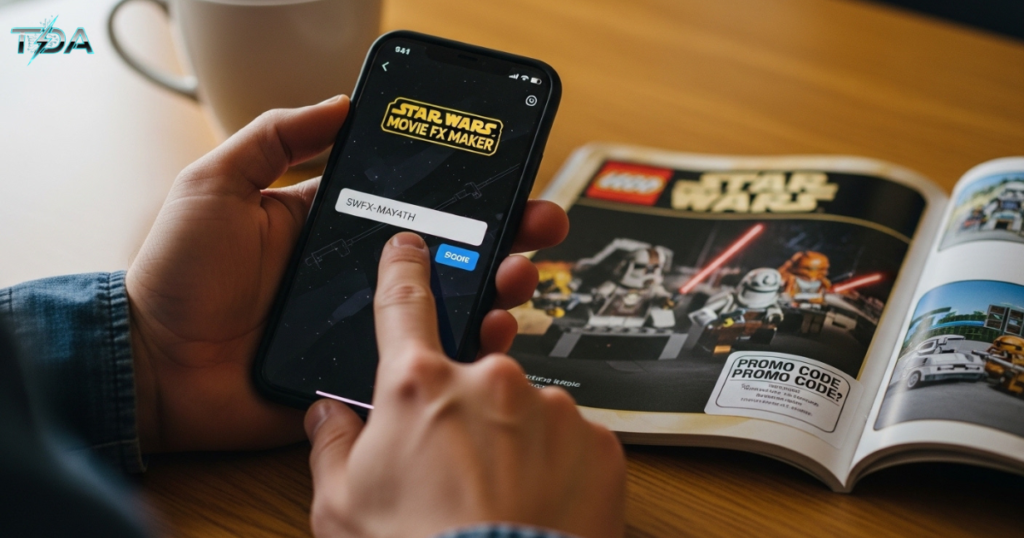
This is a big one. LEGO Star Wars sets, Hasbro action figures, Funko Pops, and even some Star Wars magazines sometimes include printed codes inside the packaging. Always check the box before you throw it away.
Here’s a quick story. My neighbor’s son got a LEGO Star Wars TIE Fighter set for his birthday. He was about to toss the box when I stopped him. Inside the flap was a small card with a code. We entered it into the app—and unlocked an exclusive First Order stormtrooper effect pack. He was over the moon.
4. Fan Communities on Reddit and Discord
The Star Wars fan community is incredibly generous. Subreddits like r/StarWars and dedicated Discord servers have channels where fans share working codes. Look for pinned posts or recent threads—old codes expire.
5. Trusted Tech and Fan Blogs
Some well-known fan sites publish code roundups during major events. For a regularly updated list of working codes, you can visit resources like the All Star Wars Movie FX Maker Codes guide on Business Pro Planner.
Safety First: How to Avoid Fake Codes and Scams
Let me be straight with you. Most “free code generator” websites are fake. Some are just outdated. Others are actively trying to steal your personal information or infect your phone with malware.
Red Flags to Watch For
- Sites that ask you to download software – These almost always contain viruses
- “Unlimited code generators” – They don’t exist. It’s a scam.
- Requests for your Apple ID or Google password – Never, ever give this out
- Long surveys before revealing a code – They just want your data
- Suspiciously many pop-up ads – A sign of a low-quality, dangerous site
The golden rule: If it feels sketchy, it is sketchy. Stick to the official sources and trusted communities I mentioned above. Your phone’s security is more important than any lightsaber effect.
Pro Tips for Making Amazing Videos with Your Unlocked Effects

Getting the codes is only half the battle. Using them well is what separates a boring clip from a viral masterpiece. Here are my best tips.
Shoot in Good Lighting
The lightsaber tracking works best in well-lit environments. Natural daylight is ideal. Dark rooms make it hard for the app to follow your movements.
Move Slowly and Deliberately
Fast, jerky motions confuse the tracking algorithms. Slow, controlled swings look more like the movies anyway. Think about how Jedi fight—every movement has purpose.
Layer Multiple Effects
Don’t just add one effect. Combine them. For example: start with a blaster bolt, then add sparks on impact, then layer a smoke cloud. This is called compositing, and it’s how professional filmmakers do it.
Match Sound to Action
Timing is everything. If you swing a lightsaber but the hum plays half a second late, it looks fake. Use the app’s audio timeline tools to sync sounds perfectly with your movements.
Plan Your Scene Before Recording
Sketch a quick storyboard on paper. Know what you want to happen in each shot. This saves time and makes your final video much more polished.
Pick a Character Theme
Are you a Jedi on a mission? A Sith lord seeking revenge? A bounty hunter tracking a target? Choosing a theme helps you select consistent effects and tell a better story.
Creative Ideas to Inspire Your First Project
Not sure what to make? Here are some fun ideas to get you started.
A Jedi Training Montage – Film yourself practicing lightsaber moves in your backyard. Add a glowing blade, some sweat effects, and dramatic music. Show your progress from clumsy beginner to confident warrior.
An Office Battle – Record a mock duel with a coworker (with permission, of course) using office supplies as stand-ins for lightsabers. Add sound effects and slow-motion clashes.
Pet Star Wars – Film your dog or cat and add droid sounds. Turn your pet into BB-8 or R2-D2. It’s silly, but it always gets laughs.
Fan Trailer for a Fake Movie – Create a 30-second trailer for a Star Wars film that doesn’t exist. Use character overlays, spaceship fly-bys, and dramatic voiceover. Share it online and watch people ask, “Is this real?”
Why You Should Buy Premium Codes or the Full App
Now, I know what some of you are thinking. “Can’t I just find all the codes for free?” The honest answer is: sometimes yes, but not for the best content.
The developers put real work into creating premium effects packs. These include:
- Exclusive lightsaber colors that aren’t available anywhere else
- Cinematic camera movements like zooms and shakes
- High-resolution rendering for sharing on YouTube or TikTok
- No watermarks on your final videos
When you purchase premium codes or the full version of Star Wars Movie FX Maker, you’re not just buying effects. You’re supporting the people who make this magic possible. Plus, you get instant access without hunting through forums or hoping an expired code still works.
Think of it this way. A movie ticket costs around $15 and gives you two hours of entertainment. For less than that, you can unlock a tool that gives you hundreds of hours of creative fun. It’s one of the best values for any Star Wars fan.
Frequently Asked Questions
Do Star Wars Movie FX Maker codes expire?
Yes. Most codes, especially event-based ones, have expiration dates. Always use a code as soon as you find it.
Are the same codes valid in every country?
Not always. Some codes are region-locked and only work in specific countries or app store versions.
Can I use the same code on multiple devices?
Typically, each code works once per user account. If you share a device, each user may need their own code.
Why is my code not working even though I typed it correctly?
The most likely reasons are: the code has expired, your app is outdated, or the code is for a different version of the app (iOS vs Android).
Is the app free to download?
Yes, the base app is free. However, many premium effects and codes require the purchase or redemption of paid promo codes.
Conclusion
You now have everything you need to become a master of Star Wars Movie FX Maker codes. From understanding what they are, to finding them safely, to using them like a professional filmmaker.
The app itself is already incredible. But with the right unlock codes, a little creativity, and the tips I’ve shared here, you can create videos that genuinely look like they belong in a galaxy far, far away.
So what are you waiting for? Open the app, enter some codes, and start filming. Whether you’re recreating the Battle of Endor or inventing a new Jedi adventure, the Force is now in your hands.
May the Force be with you, always.

Haseeb Ur Rehman Lali is the lead technical author at TechDoAction, known for decoding the latest advancements in Artificial Intelligence and Software and Security Solutions for a global audience. His research-driven articles on AI frameworks and software solutions remain some of the site’s most trusted resources. He also leads Tech Gift Guides, applying the same research-first approach to help readers find gear worth packing or gifting. His mission stays the same: turn complex choices into clear, practical knowledge readers can use immediately.
