
Chatling is a simple and powerful AI chatbot builder that helps anyone create smart, automated chatbots without writing any code. In simple terms, Chatling lets you build custom chatbots that understand customer questions, give helpful answers, collect information, and support your business 24 hours a day on your website or WhatsApp.
Business owners today face many challenges. Customers want instant replies, but answering the same questions repeatedly takes a lot of time. Moreover, hiring extra staff is expensive. This is where Chatling makes a real difference. It combines an easy visual builder with smart AI technology so your chatbot can learn from your own business materials and respond naturally, just like a helpful team member.
Why More Businesses Are Choosing Chatling Every Day
Additionally, customer expectations have changed. People no longer want to wait for email replies or search through FAQ pages. They prefer quick, friendly conversations. Chatling meets this need perfectly by providing always-available support that feels personal.
Furthermore, Chatling is especially useful for small and medium businesses. You do not need technical skills or a big budget. The platform handles everything from basic rule-based replies to advanced AI conversations powered by models like GPT and Claude.
For example, think about a local bakery owner named Ahmed in a busy city market. Every morning he received dozens of messages asking about opening hours, special orders, and delivery times. After setting up Chatling, his chatbot answered these questions instantly. Ahmed could focus on baking fresh goods instead of typing replies. Within weeks, his customer satisfaction improved and he even received more orders through smart recommendations from the bot.
Stories like Ahmed’s are common. Many users report saving several hours each week while giving their customers better service. This kind of real-world impact shows why Chatling continues to grow in popularity among business owners who want practical solutions without complexity.
Key Features That Make Chatling Stand Out
Chatling offers many useful tools that work together smoothly to create effective AI chatbots.
Visual Drag-and-Drop Builder
First, the visual drag-and-drop builder is incredibly intuitive. You simply drag conversation blocks such as welcome messages, questions, buttons, or AI replies into place. This makes building complex flows feel like arranging puzzle pieces. Even complete beginners can create professional-looking conversation paths in minutes.
AI Knowledge Base
Next, the AI knowledge base is a game-changer. You can upload website pages, PDF documents, product catalogs, or even training manuals. Chatling reads and understands this information, then uses it to answer questions accurately and naturally. This feature turns your existing business content into a smart, always-ready assistant.
Multilingual Support
In addition, multilingual support allows your chatbot to speak different languages. This helps businesses reach international customers without extra effort. Whether your audience speaks English, Spanish, Arabic, or any other major language, Chatling handles it effortlessly.
Customizable Website Widget
Moreover, the customizable website widget matches your brand colors, logo, and style perfectly. It appears on your site and can trigger at the right moment, such as when someone visits a pricing page or has been browsing for a while. The result is a seamless experience that feels like part of your website.
WhatsApp Integration
Chatling also works beautifully on WhatsApp. You can automate order updates, appointment bookings, or follow-ups directly in the messaging app your customers already use. This expands your reach and makes communication more convenient for everyone involved.
Analytics Dashboard
Furthermore, the analytics dashboard shows clear reports. You can see how many conversations started, how many leads were collected, and which topics customers ask about most. This data helps you keep improving your chatbot over time and proves the return on your investment.
These features work together to make Chatling one of the most complete yet simple AI chatbot solutions available today.
Step-by-Step Guide: Building Your First Chatbot with Chatling
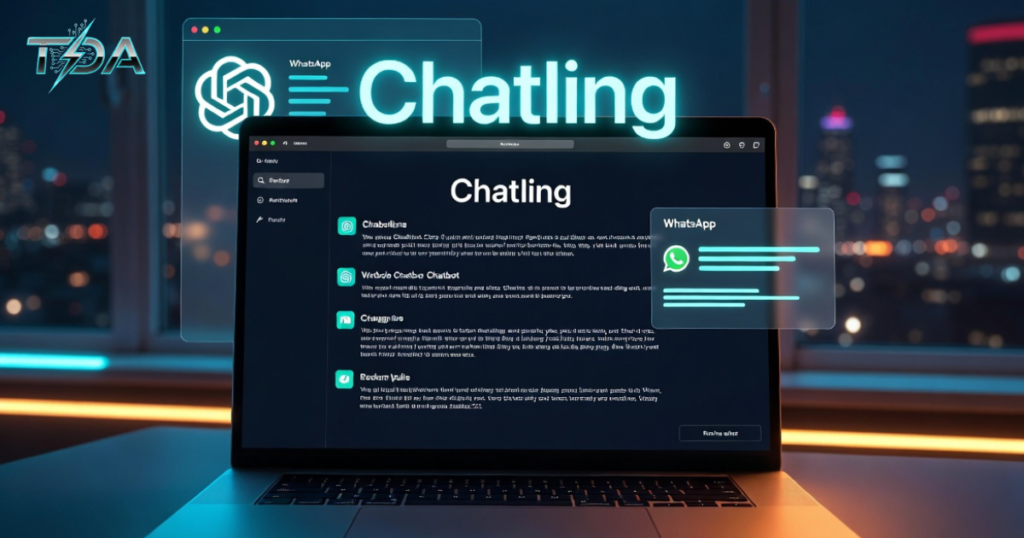
One of the best things about Chatling is how quickly you can get started. Here is a detailed, beginner-friendly guide that walks you through everything:
1. Create Your Free Account
Visit the platform and sign up. No credit card is needed. You can explore everything right away and start building immediately.
2. Start a New Project
Choose whether you want a chatbot for your website, WhatsApp, or both. Give your project a clear name so you can find it easily later.
3. Design the Conversation Flow
Open the visual builder. Drag a welcome message block first. Then add question blocks to collect names or emails. Connect AI response blocks so the chatbot can answer freely using your knowledge base. Use condition blocks for smart decisions, such as “If the customer asks about pricing, show our packages.”
4. Train Your AI Knowledge Base
Go to the knowledge base section. Paste your website URL or upload documents. Chatling processes the information automatically. You can add specific instructions, such as tone of voice or things the bot should never say. This step makes your chatbot truly intelligent.
5. Customize Appearance
Change colors, add your logo, choose an avatar, and write a friendly opening message. Make sure it feels like part of your brand and creates a warm first impression.
6. Test Thoroughly
Use the preview mode to chat with your bot yourself. Try different questions, including tricky ones. Fix any issues before going live. Testing here prevents problems later.
7. Connect to Your Channels
For websites, copy the short code and paste it into your site. For WhatsApp, follow the simple connection steps. Both processes are quick and straightforward.
8. Launch and Monitor
Turn your chatbot on. Check the dashboard daily at first to see real conversations and make quick improvements. You will see results almost immediately.
Most users complete their first working chatbot in 30 to 60 minutes. With practice, you can build more advanced versions even faster.
Also Read: Vizcom: The AI Tool That Turns Your Simple Sketches Into Amazing Renders Fast
Real Success Stories That Show the Power of Chatling
Let me share another inspiring example. Lisa runs an online fitness coaching business. She used to spend evenings answering questions about workout plans and nutrition. After implementing Chatling, her AI chatbot handled 80% of these questions automatically. Clients loved getting instant answers at any time. Lisa gained more time to create new programs and actually grew her client base by 40% in three months.
Similarly, a small travel agency in Europe used Chatling on their website and WhatsApp. The chatbot answered visa questions, suggested destinations based on customer preferences, and collected booking inquiries. During peak season, it managed hundreds of conversations daily, helping the team focus on closing bigger deals.
These real experiences prove that Chatling delivers practical results for different types of businesses. From bakeries to coaches to travel agencies, the platform adapts to your needs and delivers measurable growth.
Understanding Chatling Pricing: Flexible and Affordable
Chatling keeps pricing straightforward and fair. The free plan includes unlimited regular chats, two chatbots, the full visual builder, and basic knowledge base features. This is perfect for testing or small websites with low traffic.
When you need more AI power, paid plans start at an affordable monthly fee. Higher tiers give you thousands of AI credits, more chatbots, team member access, and advanced analytics. You can also buy extra credits if needed.
Because you can begin completely free and upgrade only when ready, Chatling removes financial risk. Many businesses stay on paid plans because the return on investment comes quickly through saved time and extra leads. This flexible approach gives you confidence to try Chatling without worry.
Pros and Cons of Chatling
Every tool has strengths and weaknesses. Here is an honest view of Chatling:
Pros
- Very easy to learn and use
- Strong AI that learns from your own data
- Beautiful, brand-matching widget
- Works on both website and WhatsApp
- Generous free plan with unlimited chats
- Helpful and responsive support team
- Regular updates based on user feedback
Cons
- Very large chatbots can become harder to manage in one big flow
- You create separate chatbots for different channels
- No built-in live handoff to human agents (though Zapier integrations can help)
For most small and growing businesses, these limitations are minor compared to the benefits. The overall experience remains positive and highly effective.
Tips for Getting the Most Out of Chatling
To succeed faster, start simple. Build a basic chatbot first that answers your top 10 customer questions. Then gradually add more features. Regularly review conversations in the dashboard and update your knowledge base with new information. Ask customers for feedback using the built-in satisfaction survey. These small habits help your AI chatbot become more accurate and useful over time.
Why You Can Choose Chatling With Complete Confidence
Chatling has already helped thousands of businesses handle over a million conversations successfully. Users consistently give it high ratings for ease of use and real results. The combination of powerful AI, simple design, and fair pricing makes it one of the smartest choices available today.
If you want to reduce repetitive work, improve customer satisfaction, collect more leads, and grow your business, Chatling is ready to help. You do not need to be a tech expert. The platform guides you at every step. With proven success stories and continuous improvements, you can invest in Chatling knowing you are making a smart decision that will pay off quickly.
Ready to see the difference for yourself? Visit the official Chatling website
FAQ
What is Chatling?
Chatling is a no-code platform that lets you build smart AI chatbots for websites and WhatsApp.
Does Chatling have a free plan?
Yes, the free plan offers unlimited chats, two chatbots, and core features.
Can Chatling work in multiple languages?
Yes, it supports multilingual chatbots for global customers.
Is it possible to train Chatling on my business data?
Yes, the knowledge base lets you upload documents and website content easily.
Is Chatling suitable for small businesses?
Absolutely. It is beginner-friendly, affordable, and designed for small to medium-sized companies.
Conclusion
In conclusion, Chatling provides a simple yet powerful way to bring AI chatbots into your business. It saves time, improves customer experience, and helps you grow without adding extra staff. With its easy builder, smart AI features, flexible pricing, and proven results, Chatling gives you everything you need to succeed in today’s fast-moving world.
Thousands of business owners already enjoy the benefits. Why not join them? Start your free account today and discover how much easier and more effective your customer conversations can become. The future of business communication is here, and it is more accessible than ever with Chatling.

Haseeb Ur Rehman Lali is the lead technical author at TechDoAction, known for decoding the latest advancements in Artificial Intelligence and Software and Security Solutions for a global audience. His research-driven articles on AI frameworks and software solutions remain some of the site’s most trusted resources. He also leads Tech Gift Guides, applying the same research-first approach to help readers find gear worth packing or gifting. His mission stays the same: turn complex choices into clear, practical knowledge readers can use immediately.
