
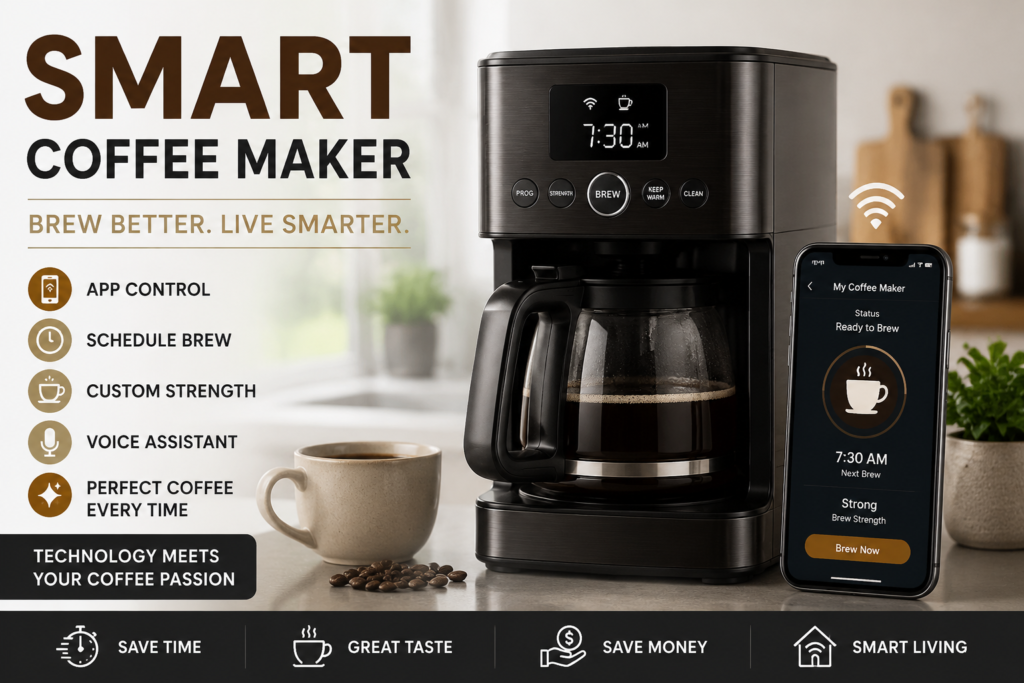
A smart coffee maker is a coffee brewing machine that connects to the internet, allowing you to control it remotely through a smartphone app, voice assistant, or smart home system. People search for this product because they want convenience, customization, and the ability to have fresh coffee ready exactly when they need it without standing in the kitchen. Whether you are a busy professional, a tech enthusiast, or someone who simply loves great coffee, a smart coffee maker promises to make your mornings easier and your coffee better.
Coffee is more than just a drink. It is a ritual, a comfort, and for many, a necessity to start the day. But traditional coffee makers often come with limitations. You cannot start them remotely. You cannot customize the brew strength from your bed. And you certainly cannot get a notification when it is time to descale the machine. A smart coffee maker solves all these problems and more. In this guide, we will explore everything you need to know about smart coffee makers, from what they are and why you need one, to the best options available in 2026.
What Is a Smart Coffee Maker?
A smart coffee maker is not just a coffee machine with a digital display. Many people confuse programmable coffee makers with smart ones. A programmable coffee maker lets you set a timer to brew at a specific time. But a smart coffee maker goes much further. The defining feature is its ability to connect to the internet via Wi-Fi or Bluetooth. This connectivity allows you to control the machine remotely using a smartphone app. You can start brewing from anywhere, adjust the temperature, change the brew strength, and even create personalized drink profiles.
Some smart coffee makers also work with voice assistants like Amazon Alexa or Google Assistant. You can simply say, “Alexa, brew my coffee,” and the machine will start working. Others come with touchscreens, automated milk systems, and maintenance alerts that tell you when it is time to clean or descale the machine.
It is important to note that not every smart machine uses Wi-Fi. Some rely on intelligent automation, remembering your favorite drinks or adjusting extraction automatically based on the drink you choose. However, the most advanced models offer full app control, voice integration, and even AI-powered brewing adjustments.
Why People Need a Smart Coffee Maker
The Pain Points of Traditional Coffee Makers
Traditional coffee makers are simple. You add water, add coffee grounds, press a button, and wait. But this simplicity comes with limitations. You cannot start the brew remotely. If you forget to turn it on, you are out of luck. You cannot customize the brew temperature or strength beyond basic settings. And you rarely get any feedback about maintenance needs.
For many people, mornings are chaotic. Between getting ready for work, preparing breakfast, and managing kids, there is little time to wait for coffee to brew. A smart coffee maker eliminates this problem. You can set it to brew automatically at a specific time, or you can start it from your phone while you are still in bed. By the time you reach the kitchen, your coffee is ready.
Another pain point is inconsistency. Traditional coffee makers often produce inconsistent results. The water temperature might fluctuate. The brew time might vary. With a smart coffee maker, you get precise control over every variable. You can set the exact water temperature, adjust the bloom time, and choose the brew strength to match your preferences.
Who Benefits Most from a Smart Coffee Maker?
Busy professionals benefit greatly because they can schedule coffee to brew exactly when they wake up. Tech enthusiasts enjoy the integration with smart home systems. Coffee lovers appreciate the precision and customization. And households with multiple coffee drinkers benefit from personalized drink profiles, where each person can save their preferred settings.
Key Features of a Smart Coffee Maker
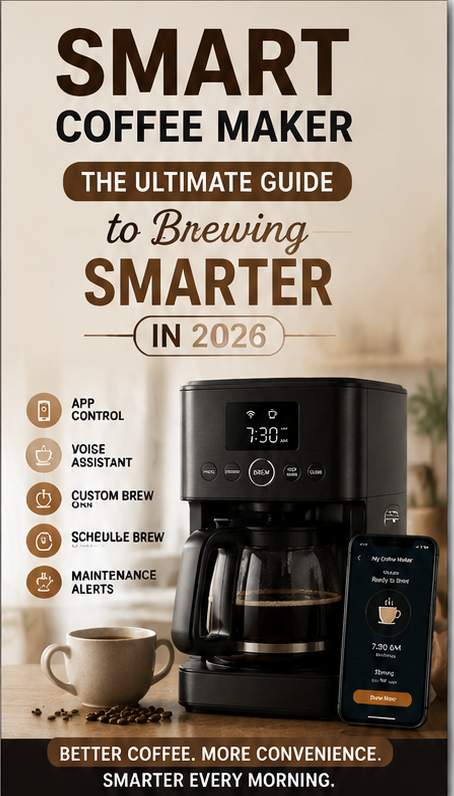
When shopping for a smart coffee maker, you will encounter a wide range of features. Some are essential, while others are nice to have. Here are the key features to look for.
Wi-Fi and App Connectivity
This is the most important feature. A smart coffee maker must connect to your home Wi-Fi network. The accompanying app should be intuitive and reliable. Through the app, you should be able to start brewing, schedule brews, adjust settings, and receive maintenance alerts. Some apps also offer recipe suggestions and allow you to create custom brew profiles.
Voice Assistant Compatibility
Many smart coffee makers work with Amazon Alexa, Google Assistant, or Apple HomeKit. Voice control adds an extra layer of convenience. You can start brewing without even touching your phone. However, check which voice assistants are supported, as some machines only work with one or two.
Brew Customization
A good smart coffee maker lets you customize the brew strength, water temperature, and brew size. Some models offer multiple brew styles, such as light, medium, and bold. Others let you adjust the bloom time, which is the initial wetting of the coffee grounds to release gases before full extraction.
Built-in Grinder
Some smart coffee makers come with a built-in grinder. This is a valuable feature if you prefer fresh coffee beans over pre-ground coffee. The grinder should offer multiple grind settings so you can adjust the coarseness for different brew methods. Machines with built-in grinders are more expensive but deliver superior flavor.
Maintenance Alerts
A smart feature that many people overlook is maintenance alerts. The machine can notify you when it is time to descale or clean. This helps extend the life of your smart coffee maker and ensures consistent coffee quality.
Multi-Serve Options
Some smart coffee makers can brew both single servings and full carafes. This versatility is useful if you live alone but occasionally have guests. Others support both K-Cup pods and ground coffee, giving you maximum flexibility.
Touchscreen Interface
Higher-end models come with a touchscreen display. This makes it easy to navigate settings, select drinks, and view maintenance information without using the app. However, a touchscreen is not essential if the app is well-designed.
Real-Life Benefits of Using a Smart Coffee Maker
Time Savings
The most obvious benefit is time savings. You can schedule your coffee to brew automatically every morning. You can also start brewing remotely while you are still getting ready. Every minute saved in the morning adds up over time.
Consistency
With a smart coffee maker, you get consistent results every time. The machine controls the water temperature, brew time, and extraction process precisely. You do not have to guess or adjust manually. This is especially valuable if you are particular about your coffee.
Personalization
Everyone has different coffee preferences. Some like it strong. Some like it mild. Some prefer it hot, while others like it warm. A smart coffee maker allows each user to create and save their own brew profile. This is great for households with multiple coffee drinkers.
Convenience
Imagine waking up to the smell of freshly brewed coffee without lifting a finger. Imagine starting a brew from your office so that coffee is ready when you get home. These are the conveniences that a smart coffee maker offers.
Better Coffee Quality
Many smart coffee makers are SCA-certified, meaning they meet the Specialty Coffee Association’s standards for brewing temperature and extraction. This ensures that your coffee is brewed at the optimal temperature for maximum flavor.
Step-by-Step Usage Guide for Your Smart Coffee Maker
Using a smart coffee maker is straightforward, but setting it up correctly is important to get the best results. Follow this step-by-step guide.
Step 1: Unbox and Set Up the Machine
Remove the smart coffee maker from the box and place it on a stable, flat surface near a power outlet. Make sure there is enough space for the water reservoir and carafe. Read the user manual to familiarize yourself with the parts and controls.
Step 2: Download the App
Scan the QR code in the manual or search for the manufacturer’s app in your phone’s app store. Download and install the app. Create an account if required. Most apps are available for both iOS and Android.
Step 3: Connect to Wi-Fi
Open the app and follow the on-screen instructions to connect your smart coffee maker to your home Wi-Fi network. This usually involves putting the machine into pairing mode and selecting your network from the app. Make sure your phone is on the same Wi-Fi network during setup.
Step 4: Fill the Water Reservoir
Remove the water reservoir and fill it with fresh, cold water. Do not use hot water, as this can affect the brewing temperature. Replace the reservoir securely. Some machines have a water filter that needs to be installed first. Check the manual for specific instructions.
Step 5: Add Coffee
Depending on your machine, you will either add whole beans to the grinder or pre-ground coffee to the filter basket. If using whole beans, fill the bean hopper. If using ground coffee, use the scoop provided and add the recommended amount. For pod-based machines, insert a pod into the designated slot.
Step 6: Customize Your Brew Settings
Open the app and explore the settings. You can adjust the brew strength, water temperature, and brew size. Some apps let you save custom profiles. For example, you can create a “Morning Strong” profile and an “Afternoon Mild” profile. Save your preferences.
Step 7: Schedule a Brew
If you want coffee ready at a specific time, use the app to schedule a brew. Set the time and date, choose your preferred profile, and save. The machine will automatically start brewing at the scheduled time.
Step 8: Start Brewing
You can start brewing manually by pressing the brew button on the machine or by using the app. If your machine supports voice control, you can also say, “Alexa, brew my coffee” or “Hey Google, start brewing.”
Step 9: Enjoy Your Coffee
Once the brewing is complete, pour your coffee and enjoy. Some machines keep the coffee warm for a certain period. Others have a thermal carafe that maintains temperature without a hot plate.
Step 10: Clean and Maintain
Regular cleaning is essential. Most smart coffee makers have a cleaning or descaling alert. Follow the app’s instructions to run a cleaning cycle. Descale the machine every few months, depending on your water hardness. Clean the removable parts, such as the filter basket and water reservoir, regularly.
Best Smart Coffee Maker Recommendations
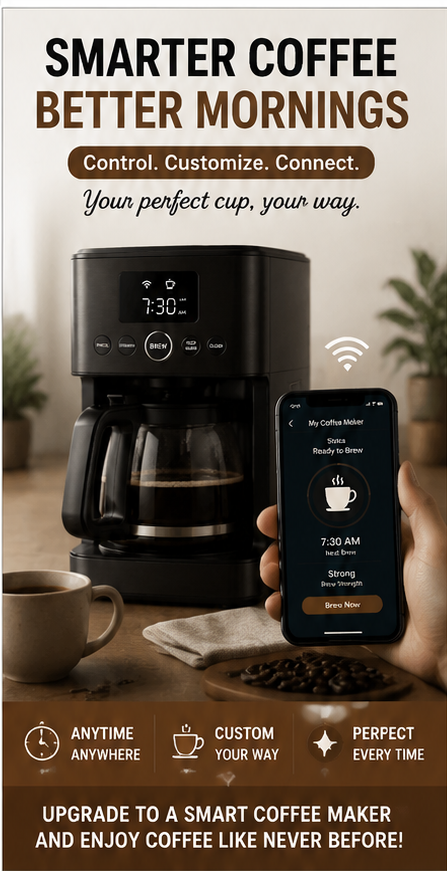
After extensive research and analysis, here are the best smart coffee makers available in 2026. Each option caters to different needs and budgets.
1. Keurig K-Supreme Plus SMART Coffee Maker
The Keurig K-Supreme Plus SMART is a single-serve coffee maker that combines convenience with smart technology. It features BrewID technology, which detects the K-Cup pod and automatically adjusts the brew settings for optimal flavor. You can customize the brew strength, temperature, and size through the app. The machine also supports voice control via Alexa.
This smart coffee maker is ideal for individuals or small households who want quick, consistent coffee without the hassle of grinding beans or measuring grounds. The app allows you to schedule brews and access recipe ideas. However, the reliance on K-Cup pods means higher ongoing costs compared to using whole beans.
Pros: Intuitive to use, highly customizable, fast brewing, compatible with reusable pods
Cons: Single-use pods are expensive, coffee can be weaker than other brewing methods
Best for: Busy individuals, single-serve lovers, tech-savvy users
2. GE Profile Smart Grind and Brew Coffee Maker
The GE Profile Smart Grind and Brew is a premium smart coffee maker with a built-in conical burr grinder. It grinds fresh beans for every brew, ensuring maximum flavor. The machine connects to Wi-Fi and is controlled via the SmartHQ app. You can adjust grind size, brew strength, and temperature. It also supports voice control through Alexa and Google Assistant.
This machine is SCA-certified, meaning it meets professional brewing standards. It offers both single-serve and full-carafe brewing options. The touchscreen interface is intuitive and easy to use. However, it is pricey, and the smart features are limited to Alexa and Google Assistant.
Pros: Built-in grinder, excellent build quality, intuitive interface, podless single-serve mode
Cons: Expensive, smart features only work with Alexa and Google Assistant, limited flavor nuance
Best for: Coffee enthusiasts who want fresh-ground coffee and smart convenience
3. Hamilton Beach Smart Coffee Maker with Alexa
The Hamilton Beach Smart Coffee Maker is an affordable entry into the world of smart coffee makers. It works with Alexa, allowing you to start brewing, change brew strength, or turn off the machine using voice commands. It is a 12-cup drip coffee maker, making it suitable for families or households with multiple coffee drinkers.
This machine is simple and reliable. It does not have a built-in grinder or advanced customization options. But for the price, it offers excellent value. The setup is easy, and the Alexa integration works seamlessly. However, some users have reported mixed opinions about the overall performance.
Pros: Affordable, works with Alexa, 12-cup capacity, easy to set up
Cons: Limited smart features, no built-in grinder, mixed user reviews on performance
Best for: Budget-conscious buyers, families, Alexa users
4. Nespresso Vertuo Pop+
The Nespresso Vertuo Pop+ is a compact smart coffee maker that uses Nespresso pods. It connects to the Nespresso app, which provides recipe ideas and maintenance reminders. The machine brews five different cup sizes, from espresso to alto, and works with both hot and iced coffee.
This machine is stylish, small, and perfect for kitchens with limited counter space. It is one of the most affordable Nespresso machines with smart features. However, the pod system means higher ongoing costs, and the water reservoir is smaller than other models.
Pros: Compact and stylish, multiple brew sizes, app connectivity, affordable
Cons: Pods are expensive, small water reservoir, limited customization
Best for: Small kitchens, espresso lovers, style-conscious buyers
5. Fellow Aiden Precision Coffee Maker
The Fellow Aiden is a premium smart coffee maker designed for coffee purists. It offers precise temperature control, programmable brewing phases, and customizable profiles for different roasts. The machine brews both single servings and full carafes. It is SCA-certified and produces coffee that rivals manual pour-over methods.
The Aiden is not your typical smart coffee maker. It does not have Wi-Fi or app control. Instead, it uses intelligent automation to deliver exceptional coffee quality. It is ideal for those who prioritize taste over remote control. However, it is expensive and lacks the app-based convenience of other smart machines.
Pros: Exceptional coffee quality, precise temperature control, customizable brewing phases
Cons: Expensive, no Wi-Fi or app control, not for users who want remote brewing
Best for: Coffee purists, pour-over lovers, those who prioritize taste
Comparison Table
| Product | Price Level | Key Feature Highlight | Best Use Case | Who It Is Best For |
|---|---|---|---|---|
| Keurig K-Supreme Plus SMART | Mid | BrewID technology, app control, voice compatibility | Quick single-serve brews with customization | Busy individuals, single-serve lovers |
| GE Profile Smart Grind and Brew | High | Built-in conical burr grinder, SCA-certified, touchscreen | Fresh-ground coffee with smart convenience | Coffee enthusiasts, tech-savvy users |
| Hamilton Beach Smart Coffee Maker | Low | Alexa voice control, 12-cup capacity | Budget-friendly family brewing | Budget-conscious buyers, Alexa users |
| Nespresso Vertuo Pop+ | Low-Mid | Compact design, five brew sizes, app connectivity | Small kitchens, espresso and iced coffee | Style-conscious buyers, espresso lovers |
| Fellow Aiden Precision Coffee Maker | High | Precise temperature control, pour-over quality | Premium drip coffee with manual-like quality | Coffee purists, those who prioritize taste |
Buying Guide: What to Check Before Buying a Smart Coffee Maker
Before purchasing a smart coffee maker, consider the following factors to ensure you choose the right machine for your needs.
1. Brewing Method
Decide whether you prefer drip coffee, espresso, or single-serve pod coffee. Drip coffee makers are great for brewing multiple cups. Espresso machines are ideal for concentrated coffee. Pod machines offer convenience and consistency.
2. Connectivity
Check whether the machine supports Wi-Fi, Bluetooth, or both. Wi-Fi is essential for remote control from anywhere. Bluetooth typically requires you to be near the machine. Also, verify which voice assistants are supported.
3. Customization Options
Look for machines that allow you to adjust brew strength, temperature, and size. Some models offer multiple brew styles and personalized profiles. The more customization options, the better the coffee experience.
4. Built-in Grinder
If you prefer fresh coffee beans, choose a smart coffee maker with a built-in grinder. Check the number of grind settings and the type of grinder. Conical burr grinders are generally better than blade grinders.
5. Capacity
Consider how much coffee you drink daily. If you brew multiple cups, choose a machine with a larger water reservoir and carafe. For single users, a compact machine with a smaller capacity is sufficient.
6. Maintenance
Check how easy it is to clean the machine. Look for removable parts that are dishwasher safe. Also, verify whether the machine has maintenance alerts for descaling and cleaning.
7. Price
Smart coffee makers range from under $100 to over $1,000. Set a budget and look for machines that offer the best value within that range. Remember that cheaper machines may lack advanced features.
8. Brand Reputation
Choose a reputable brand with good customer support. Read reviews from other users to understand the machine’s reliability and performance.
Who Should Buy a Smart Coffee Maker
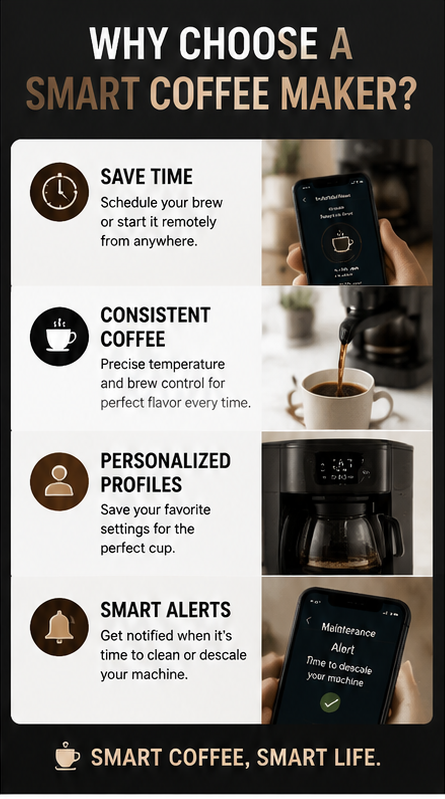
A smart coffee maker is suitable for:
- Busy professionals who want coffee ready when they wake up
- Tech enthusiasts who enjoy smart home integration
- Coffee lovers who want precise control over brewing variables
- Households with multiple coffee drinkers who need personalized profiles
- Anyone who values convenience and wants to simplify their morning routine
Who Should Avoid a Smart Coffee Maker
A smart coffee maker may not be suitable for:
- Budget-conscious buyers who prefer simple, inexpensive machines
- Coffee purists who enjoy manual brewing methods like pour-over or French press
- People who do not use smartphones or smart home devices
- Those who rarely drink coffee and do not need advanced features
- Anyone who prefers simplicity over technology
Frequently Asked Questions
What is a smart coffee maker and how does it work?
A smart coffee maker is a coffee machine that connects to the internet, allowing you to control it remotely through a smartphone app or voice assistant. It works by using Wi-Fi or Bluetooth to communicate with your phone or smart home system. You can start brewing, schedule brews, adjust settings, and receive maintenance alerts through the app.
Are smart coffee makers worth the money?
Yes, smart coffee makers are worth the money if you value convenience, customization, and consistency. They save time, allow remote control, and produce better coffee through precise temperature and extraction control. However, if you are on a tight budget or prefer manual brewing, a traditional coffee maker may be more suitable.
Can I use a smart coffee maker without Wi-Fi?
Most smart coffee makers require Wi-Fi for full functionality, including remote control and app integration. However, some models offer basic manual controls that work without an internet connection. You can still brew coffee using the physical buttons, but you will lose smart features like scheduling and voice control.
Do smart coffee makers make better coffee?
Yes, many smart coffee makers make better coffee because they offer precise temperature control, adjustable brew strength, and consistent extraction. SCA-certified machines meet professional brewing standards. However, the quality also depends on the coffee beans and water you use.
How do I clean a smart coffee maker?
Cleaning a smart coffee maker involves regular descaling and cleaning of removable parts. Most machines have maintenance alerts that notify you when it is time to descale. Follow the manufacturer’s instructions for descaling. Clean the water reservoir, filter basket, and carafe regularly with warm, soapy water. Some parts are dishwasher safe.
Conclusion
A smart coffee maker is more than just a trendy kitchen gadget. It is a practical solution for anyone who wants better coffee with less effort. From remote brewing and voice control to precise temperature adjustment and maintenance alerts, these machines offer a level of convenience and customization that traditional coffee makers simply cannot match.
Whether you choose the Keurig K-Supreme Plus SMART for quick single-serve brews, the GE Profile Smart Grind and Brew for fresh-ground perfection, or the Fellow Aiden for pour-over quality, there is a smart coffee maker for every need and budget. Consider your priorities—convenience, customization, capacity, or coffee quality—and choose the machine that fits your lifestyle.
Investing in a smart coffee maker means investing in better mornings, better coffee, and a more enjoyable daily routine. So why wait? Upgrade your coffee experience today and taste the difference that smart brewing can make.
View More On Tech Do Action

Ali Hamza Lali is the Founder and Chief Administrator of TechDoAction. A digital strategist with a background in web infrastructure and emerging technology, he built the site’s Lifestyle Tech and Tutorials section, helping readers navigate everyday tech through practical guides. He now also leads Smart Home Gadgets hands-on testing the devices that make modern living safer and smarter. When he isn’t managing site operations, Ali shares expert commentary on digital trends and home automation.
